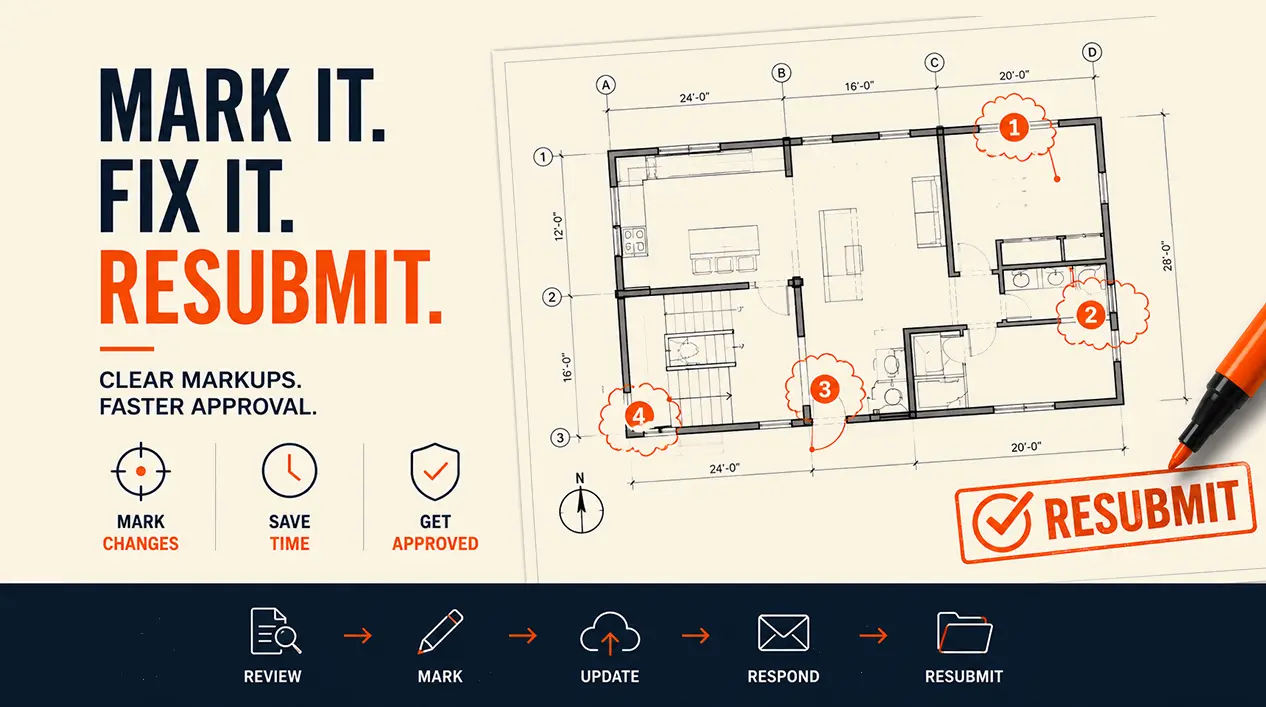
The corrections letter is sitting in front of you, and every item uses different wording. "Provide calculations." "Clarify setback." "Revise ceiling height." Are these all just different ways of saying "fix this"? They're not. Each word means something specific, and mixing them up is exactly how people end up doing the wrong work, resubmitting, and getting hit with another round of corrections for something they thought they'd already fixed.
Here's the decoder. Building departments use three core terms with distinct meanings. "Provide" means information is missing entirely, you need to create or add something that isn't there. "Clarify" means the information exists on your drawings but isn't clear enough for the reviewer to verify, you need to make it more visible or explicit. "Revise" means what's shown doesn't comply with code, you need to actually change the design. Confuse these three, and you risk responding to the wrong problem. Get them right, and you respond correctly the first time. Here's exactly what each one means and how to answer it.
Why the language matters
Building departments don't choose these words casually. Each term signals a different kind of problem, and responding to the wrong kind of problem is the fastest way to end up back in another correction cycle. If a plan checker writes "clarify" and you respond by redesigning something, you've done unnecessary work. If they write "revise" and you respond by just adding a clarifying note, you haven't actually fixed the underlying non-compliance, and it comes right back on recheck.
This isn't about reading minds. It's about recognizing that these three words describe three genuinely different situations, and each one has a correct type of response.
"Provide" what it means
"Provide" means the item wasn't included in your submission at all. The plan checker needs something that simply isn't there yet.
Typical examples: "Provide calculations showing the header is adequate for the span." "Provide energy code compliance documentation." "Provide structural engineer calculations for the foundation." "Provide egress window dimensions." "Provide a code analysis sheet."
In every case, the underlying issue is absence, nothing was submitted, so there's nothing to verify. Your job is to identify exactly what's missing, prepare it, and add it to your resubmittal package. "Provide calculations" means hiring a structural engineer to actually calculate the header size, not adding a note asserting it's fine. "Provide energy documentation" means preparing the actual compliance report. "Provide dimensions" means adding the missing numbers to an existing drawing.
Timeline varies enormously depending on what's actually missing. A simple missing dimension can be added in a day. Missing energy compliance documentation might take three to five days if a consultant needs to get involved. Missing structural calculations can take one to two weeks, since a structural engineer needs real time to do that work properly. "Provide" is usually more effort than "clarify," because you're creating something from scratch rather than adjusting something that already exists.
"Clarify" what it means
"Clarify" means the information exists somewhere on your drawings, but it's ambiguous, hard to find, or not explained clearly enough for the reviewer to verify it.
Typical examples: "Clarify setback dimensions on the site plan." "Clarify how the addition connects to the existing house." "Clarify the window schedule, are all windows impact-rated?" "Clarify door locations on the floor plan." "Clarify the drainage pattern."
The underlying issue here isn't absence, it's clarity. The plan checker can see something is there, but can't confirm what it actually says or means. Your job is to make the existing information more visible: add clearer dimension lines, add a specific written note, include a detail drawing if that helps, or simply improve a label that was too small or ambiguous to read confidently.
"Clarify setbacks" might mean adding a clean, direct dimension line with a note like "Setback: 25 feet from north property line" rather than leaving the reviewer to infer it from a cluttered drawing. "Clarify the window schedule" might mean adding explicit language, "all windows: impact-rated per [specification]", rather than assuming the reviewer will infer compliance from context.
This is usually the fastest of the three to resolve, commonly two to three days, because it's primarily a drawing or documentation clean-up rather than a design change.
"Revise" what it means
"Revise" means what's currently shown on the drawings doesn't meet code, and the design itself needs to change.
Typical examples: "Revise egress window size to meet the minimum required opening." "Revise setback to meet the 25-foot requirement." "Revise ceiling height to meet the minimum for habitable space." "Revise roof structure for wind load requirements." "Revise room size to meet the minimum for a bedroom."
This is the one where the underlying issue is genuine non-compliance, not absence or ambiguity. Your job is to actually redesign the affected element, enlarge the window opening, move the structure further from the property line, adjust the floor or roof to achieve the required ceiling height, resize the room. And critically: once you change one element, every drawing that shows it needs to be updated consistently. Enlarging a window on the floor plan means updating the elevation and the door/window schedule too, not just the one sheet where the correction was flagged.
This is typically the most work of the three, commonly one to two weeks, since it often involves real redesign and may pull in a structural engineer if the change affects load-bearing elements.
The three terms compared
"Provide""Clarify""Revise"Underlying issueMissing entirelyUnclear or hard to findNon-compliant as shownWhat you doCreate or add the itemMake existing info clearerChange the designTypical complexityMedium, depends on the itemLowHighTypical timeline1 day to 2+ weeks2–3 days1–2 weeksInvolves redesign?SometimesRarelyAlmost always
How to respond to each type
When you see "provide": figure out exactly what's missing, if the wording is ambiguous, call the plan checker and ask directly: "I see you're asking me to provide [X]. Can you clarify specifically what you need?" Then prepare that item, hire a structural engineer for calculations, prepare compliance documentation, draw what's missing, or add the missing dimension, and include it in your resubmittal package.
When you see "clarify": reread the correction and locate the relevant item on your drawings. Ask yourself honestly whether it's actually clear as shown. Then make it clearer, a more prominent dimension line, a written note, a detail drawing, or better labeling, and resubmit with the marked-up or revised sheet.
When you see "revise": understand precisely which code requirement is being violated and what the actual minimum is. This usually requires your drafter or architect to modify the design directly, and you need to confirm every drawing showing that element gets updated consistently, not just the one sheet the correction referenced. Resubmit the complete, coordinated revised set.
Tricky terms that sound similar but aren't quite the same
"Show", as in "show egress path on floor plan", usually functions like "clarify" if the path technically exists but isn't marked, or like "provide" if it was never indicated at all. Respond by adding a clear marked path on the drawing.
"Verify", as in "verify setback meets requirements", usually means document that you've checked this and it complies, often with a specific note: "Setback verified: 25 feet required, 28 feet provided ✓."
"Confirm", as in "confirm window meets egress requirements", usually means provide documentation proving compliance, similar to "verify," typically with dimensions and a compliance statement added directly to the schedule.
"Change" and "modify", as in "change roof pitch to meet wind load requirements" or "modify wall assembly for fire rating", function exactly like "revise." Both mean the design itself needs to be altered, not just clarified or supplemented.
Common confusion points, addressed directly
"Provide" vs. "show": "Provide" means creating or adding something new. "Show" means displaying it on the drawing, which might involve adding something new or might just mean making an existing element visible. They overlap, but "provide" leans toward genuinely new content.
"Clarify" vs. "show": "Clarify" specifically means making existing information clearer. "Show" is broader and can apply to both new and existing information.
"Revise" vs. "change": These are functionally the same. Both signal non-compliance requiring an actual design change, not just better documentation.
When to ask the plan checker for clarification
If any correction is genuinely unclear, you're allowed to ask, this is a normal, expected part of the process, not an imposition. Good questions sound like: "I see item #3 asks me to provide calculations, can you tell me specifically what calculations you need?" Or: "Item #5 says clarify egress window, does that mean adding dimensions, or something else?" Or: "Item #7 says revise setback, can you confirm the required setback is 25 feet?"
Call the plan checker, stay polite and specific, write down their answers, and follow up with a brief email summarizing what you heard. This single step prevents you from doing the wrong work and having to redo it, a five-minute call is far cheaper than a wasted revision cycle.
The response letter strategy
When you resubmit, include a response letter that mirrors the plan checker's original language item by item:
Item #Original requestWhat was doneLocation1Provide setback calculationsAdded calculations showing 25' required, 28' providedSee Sheet S1.1, note A2Clarify window scheduleAdded window model numbers and impact ratingsSee Sheet D1.2, window schedule3Revise ceiling heightRaised the structure; ceiling height now 8'0"See Section A-A, Sheet S2.1
This does the plan checker's cross-referencing for them and meaningfully speeds up the recheck, see Plan Check Corrections: How to Respond and Get Approved Faster for the fuller version of this strategy.
Common mistakes in responding
Misreading "provide" as "assert." A correction says "provide calculations for the header," and the response is a note claiming "header is adequate" instead of actual structural calculations. The plan checker needs real numbers from a qualified professional, not an assertion.
Misreading "clarify" as "leave unchanged." A correction says "clarify egress window dimensions," and the response redraws the same window at the same size without adding any dimensions at all, which defeats the entire purpose of the request.
Misreading "revise" as "explain." A correction says "revise room size to meet the minimum for a bedroom," and the response adds a note arguing the room, though undersized, "can accommodate furniture for two people" instead of actually enlarging it. Code minimums aren't negotiable through explanation, the room needs to actually meet the number.
Special case: conflicting corrections
Sometimes you'll get what looks like a contradiction, a "clarify" and a "revise" both touching the same element. For example: "clarify setback" alongside "revise setback to meet the 25-foot requirement." This usually isn't a contradiction at all. It means your current setback is genuinely inadequate (the revise) and the dimension wasn't clearly shown to begin with (the clarify). The fix is to do both: move the structure to comply, and make sure the corrected design shows the new dimension clearly and explicitly.
FAQ
What's the difference between "provide" and "clarify"?
"Provide" means something is missing entirely and needs to be created or added. "Clarify" means the information already exists but isn't clear enough to verify, it needs better presentation, not new content.
If I get "provide," do I need to redesign?
Not necessarily. "Provide" often means adding documentation or a missing dimension rather than changing the design itself, though occasionally what's "provided" (like a structural calculation) reveals that a redesign is also needed.
Does "clarify" mean I did something wrong?
Not in the sense of a code violation. It usually means the design may be fine, but the drawings didn't communicate it clearly enough for the reviewer to confirm that on paper.
What's the fastest way to respond to "revise"?
Get your drafter or architect to understand the exact code requirement being violated, make the actual design change, and update every drawing that shows the affected element, trying to shortcut this with a note instead of a real change just delays approval further.
Can I ask the plan checker what they mean?
Yes, and you should if anything is genuinely unclear. This is a normal part of the process and prevents you from guessing wrong and burning an entire resubmittal cycle on a misunderstanding.
What if I respond to "clarify" by providing documents instead of clarifying?
It depends on what's actually needed, sometimes new documentation is exactly what clarifies an ambiguous point, but if the reviewer wanted an existing drawing element made more explicit and you instead submit an unrelated new document, that can miss the actual request. When in doubt, ask.
How long do corrections typically take to process after resubmittal?
Commonly one to two weeks for a recheck, though this varies by jurisdiction. See How Plan Check Works for the fuller timeline picture.
The bottom line
Three words, three different problems: "provide" means something's missing, "clarify" means something's unclear, "revise" means something's wrong. Responding to the right problem the first time is what actually gets you through a corrections cycle quickly, misreading the language is what turns one round of corrections into two or three.
If you're staring at a corrections letter and genuinely unsure what a specific item is asking for, we'll review it and tell you exactly what each item means and what needs to happen next. Don't guess, start with permit drawing services.